


Zoom, Teams and FaceTime now sit in the same professional communication stack for many workers, even when nobody officially planned it that way. Zoom handles the client call. Teams carries the internal meeting. FaceTime saves the moment when someone needs a quick answer and everyone already has an iPhone. The question is no longer which one wins every conversation. The question is which one gets the first tap when work needs to happen.
That is where the competition becomes interesting. These apps do not compete only on video quality. They compete for habit. The default app becomes the one people open without thinking, the link they send without explanation, the tool that feels safe enough for a board meeting and easy enough for a five-minute check-in.
In practice, peaceful coexistence is possible. It is also unstable. Professional communication tends to drift toward defaults because every extra app adds friction. A company can say it uses all three, but users still develop preferences. One app becomes “official,” one becomes “external,” and one becomes “just call me.”
The Upside of Zoom: The Neutral Meeting Room
Zoom’s strength is that it still feels like neutral territory. A Zoom link is easy to send to a client, consultant, journalist, investor, agency, vendor or interview guest without asking which productivity suite they use. It works across devices and companies, and it carries the muscle memory of the remote-work era.
That neutrality matters. Teams can feel tied to a company’s Microsoft tenant. FaceTime can feel too personal or too Apple-specific. Zoom sits in the middle as the meeting room everyone knows how to enter.
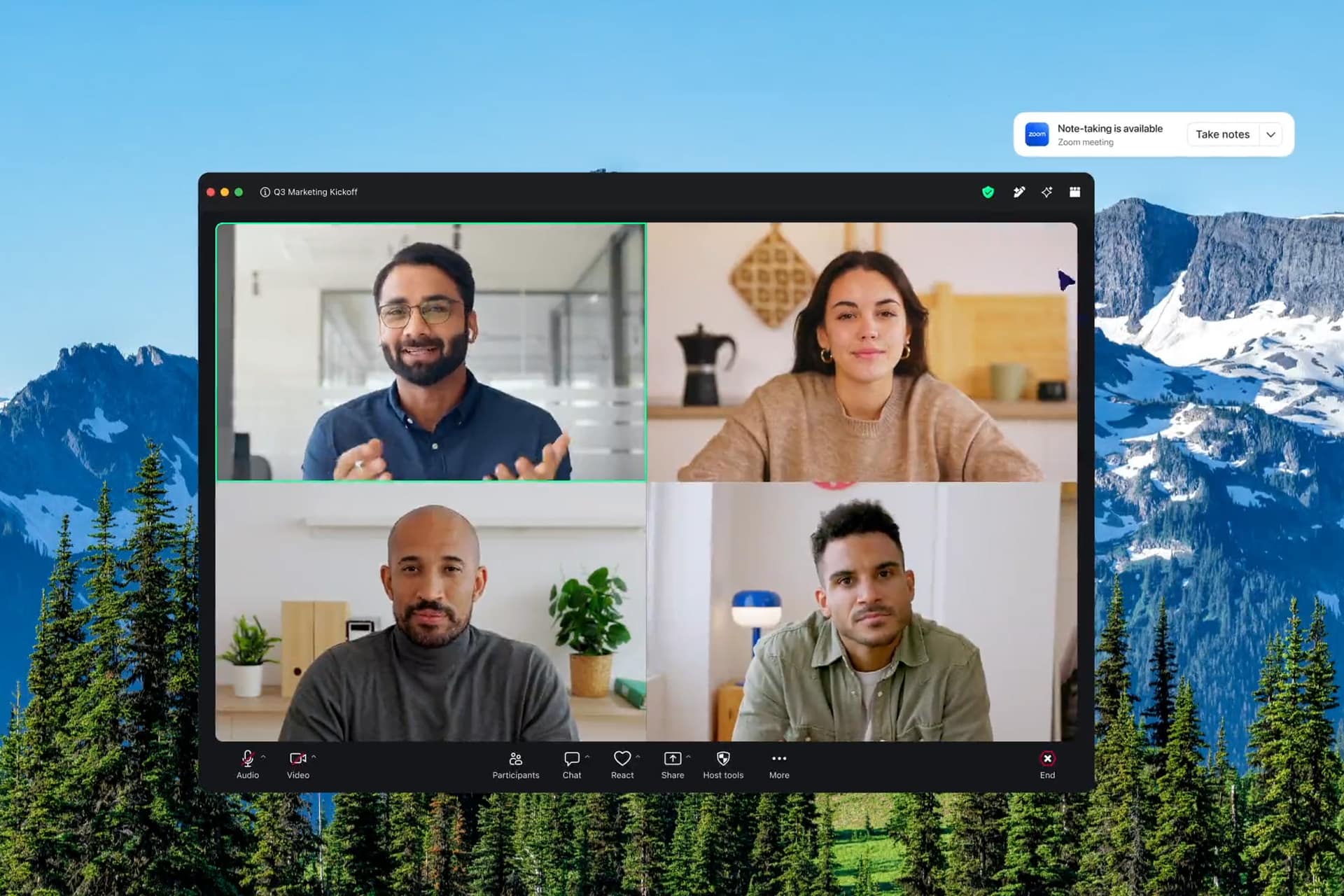
Zoom has also been expanding beyond video into a broader workplace platform. Zoom AI Companion can summarize meetings and chat threads, help draft messages and support work across Zoom’s products. The company has pushed into docs, clips, whiteboards, phone, events, contact center and collaboration tools, trying to make Zoom more than the place where the meeting happens.
The upside is focus. Zoom is still excellent when the job is to get people into a call quickly, share a screen, record the discussion and move on. For external-facing work, that remains valuable. Sales calls, webinars, interviews, training sessions and cross-company meetings often benefit from a tool that does not feel owned by one side.

The Downside of Zoom: The Meeting Can Feel Separate From the Work
Zoom’s weakness is that the meeting can sit outside the rest of the workflow. A conversation happens, the recording lives somewhere, the summary goes somewhere else, the files are in another app, and the actual follow-up happens in email, Slack, Teams, Notion, Google Docs or a project tool.
Zoom is trying to close that gap, but Microsoft has a natural advantage when the workplace already lives in Outlook, Word, Excel, PowerPoint, SharePoint, OneDrive and Teams. Zoom can host the meeting beautifully. Teams can make the meeting feel attached to the company’s documents, chats, calendar and permissions.
There is also a fatigue problem. “Send a Zoom” became shorthand for work during the pandemic, and that memory still carries emotional weight. For many professionals, Zoom is reliable but not warm. It is the conference room, not the hallway.
The Upside of Teams: Work Lives Around the Call
Microsoft Teams wins when communication needs to stay attached to work. It is not only a video app. It is chat, channels, files, meetings, calendars, calls, recordings, transcripts, whiteboards, apps and Microsoft 365 access in one environment.
That makes Teams especially strong inside organizations. A meeting can connect to an Outlook invite. Files can live in SharePoint or OneDrive. A channel can hold the conversation before and after the call. Copilot and Intelligent Recap can help summarize meetings and extract follow-up items when enabled. For companies already paying for Microsoft 365, Teams is not an extra decision. It is part of the workplace plumbing.
This is why Teams often becomes the internal default. It may not always be the most elegant app, but it sits where the work already is. That position is hard to beat. If a company’s identity, documents, compliance and calendar are already Microsoft-centered, Teams becomes less of a preference and more of an operating environment.
The Downside of Teams: The Stack Can Feel Heavy
Teams can also feel heavy because it tries to be many things at once. The same depth that makes it powerful can make it noisy. Channels, chats, meeting threads, files, notifications, apps, tabs and Copilot features can create a sense that every conversation is inside a system that wants to become larger.
The recent reaction to Teams AI tools shows the tension. Microsoft began rolling out new controls allowing licensed meeting organizers and presenters to turn off Meeting AI tools such as Copilot, Facilitator and Intelligent Recap when administrators permit it. That change reflects a real workplace concern: AI summaries and meeting assistants can be useful, but not every meeting should feel monitored, processed or automatically interpreted.
Teams also has a social problem in external communication. Sending a Teams link to someone outside the organization can work perfectly. It can also trigger account confusion, tenant switching, browser prompts or the familiar moment when someone says, “I’m here, but I think I’m in the lobby twice.”
Teams is powerful. It is not always light.
The Upside of FaceTime: The Fastest Trust Call
FaceTime’s professional role is narrower, but it is real. It works best when trust already exists and speed matters more than formality. A founder calling a partner. A designer showing a quick prototype. A colleague asking for a fast opinion. A freelancer talking to a long-term client. A family business discussing something urgent. In those moments, FaceTime feels immediate because it is already part of the phone.
For Apple users, FaceTime has a comfort advantage. It feels less like entering a meeting and more like reaching a person. It supports screen sharing, SharePlay and FaceTime links, and it works across iPhone, iPad and Mac. On Apple Vision Pro, FaceTime also becomes part of Apple’s spatial communication story, with Personas and a more immersive call environment than a flat video tile.
That gives FaceTime a subtle professional value. Not every work conversation needs a formal meeting layer. Some conversations need speed, presence and a personal connection.
The Downside of FaceTime: It Is Not a Full Business Platform
FaceTime is not a true replacement for Zoom or Teams in most professional settings. It lacks the broader business infrastructure many organizations need: admin controls, meeting governance, enterprise recording workflows, advanced webinar tools, deep compliance features, structured channels and full workplace integration.
It is also tied to Apple’s ecosystem in a way that limits its universal use. FaceTime links allow non-Apple users to join from a browser, but the experience is not the same as using a platform built from the start for cross-company meetings. For clients, agencies or mixed-device teams, FaceTime can feel too informal unless the relationship already supports it.
That does not make FaceTime weak. It defines its lane. FaceTime is best as the human shortcut inside a professional stack, not the entire stack.
Peaceful Coexistence Needs Rules
The cleanest communication stack gives each app a job. Zoom for external meetings, webinars, interviews and cross-company sessions. Teams for internal collaboration, recurring staff meetings, project channels and Microsoft 365-connected work. FaceTime for quick trusted calls among Apple users when formality would slow the moment down.
Without rules, the stack becomes chaos. One client sends Zoom. Another sends Teams. A coworker starts a FaceTime call. Someone drops a meeting link in Slack. The recording is in one platform, the notes in another, the files in a third, and the action items live only in someone’s memory under the heroic title “I’ll circle back.”
A professional stack should answer simple questions. What app do we use for internal meetings? What app do we send to clients? Where are recordings stored? Are AI summaries allowed? Who can record? What happens with confidential calls? When is FaceTime acceptable? What is the backup when a link fails?
Those rules do not need to be rigid. They only need to remove confusion.


AI Will Make the Preference Fight Sharper
The next competition is AI. Zoom wants AI Companion to make meetings, chats, docs and follow-up work easier. Microsoft wants Teams and Copilot to sit inside the full Microsoft 365 workflow. Apple is moving intelligence into the operating system layer, which could eventually make FaceTime, Messages, Calendar, Mail, Notes and Siri feel more connected for Apple users.
This will change how people choose communication tools. The best meeting app will not only be the one with the clearest video. It will be the one that remembers the right context, summarizes responsibly, protects sensitive conversations, turns decisions into tasks and fits the user’s device habits.
That is also where trust becomes central. AI in meetings can save time, but it can also make people uneasy. A sensitive negotiation, HR discussion, legal call or editorial meeting may not need an assistant listening in. The winning professional stack will let users decide when intelligence helps and when the conversation should stay simple.
The Best Stack Is Human First
Zoom, Teams and FaceTime can coexist peacefully when each one respects a different kind of work. Zoom is the neutral room. Teams is the office system. FaceTime is the quick human line.
The competition begins when one of them tries to become the default for every interaction. That is unlikely to work because communication is not one thing. A board presentation, a daily stand-up, a client pitch, a quick reassurance call and a sensitive private conversation do not need the same tool.
The better future is preference by context. Use Zoom when neutrality matters. Use Teams when the conversation belongs inside the organization’s workflow. Use FaceTime when trust and speed matter more than structure.
The real winner is not the app that replaces the others. It is the one people choose without irritation when the moment arrives. In professional communication, that is the highest compliment a tool can earn: nobody complains when the link appears.