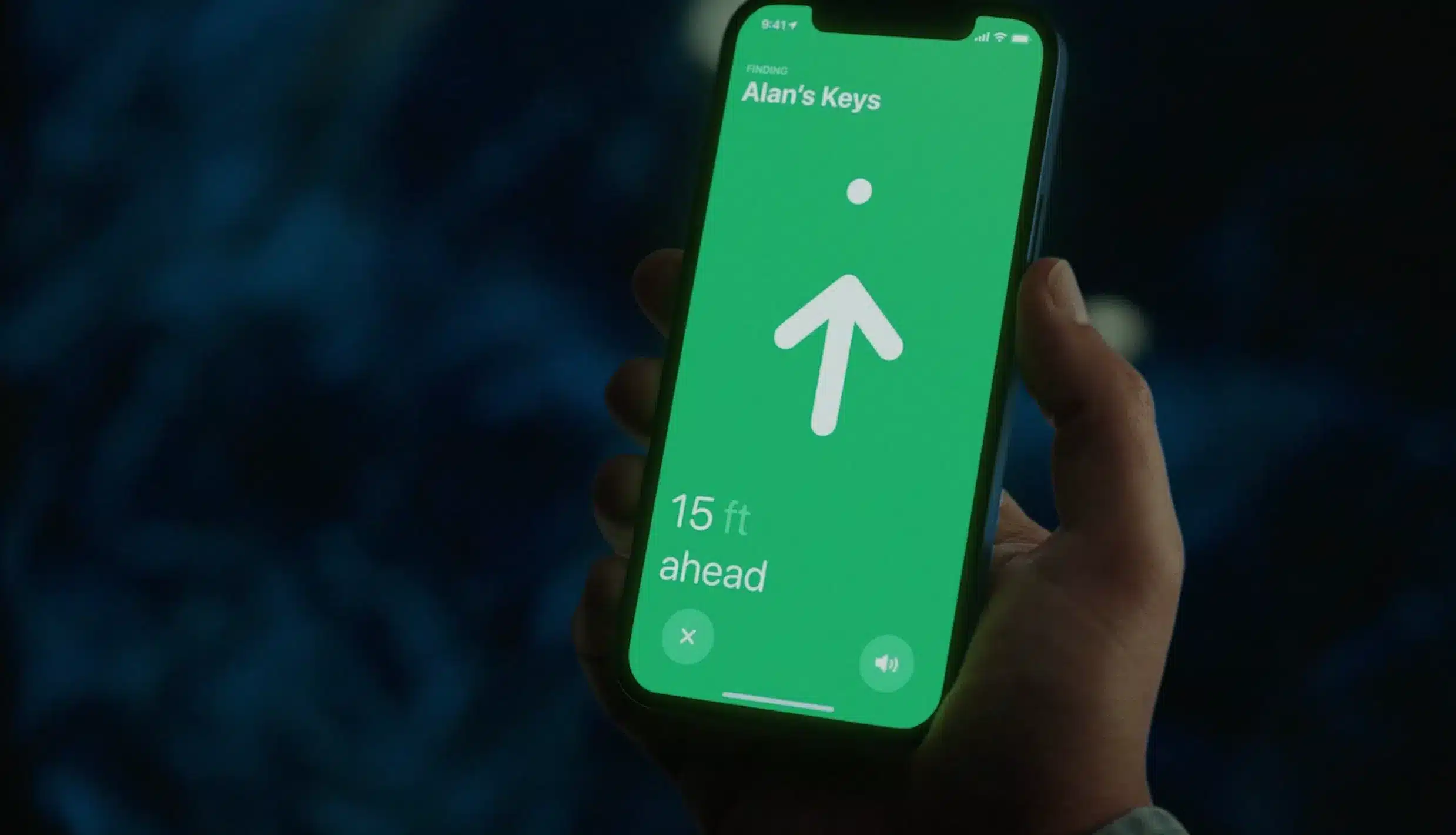
Find My is often associated with iPhone, AirTag, AirPods, Mac, and Apple Watch, but Apple’s tracking network is not limited to Apple-made products. Compatible third-party accessories can also connect to the Find My network, appear inside the Find My app, and be located through the same system many people already use to find Apple devices and personal items.
That makes Find My one of Apple’s quiet ecosystem bridges. It does not only protect Apple hardware. It can also help users keep track of bags, bikes, wallets, keys, luggage, headphones, backpacks, and other supported items made by different companies.
The idea is simple: if an accessory supports Apple’s Find My network, it can be added to the Find My app and tied to the user’s Apple Account. From there, the item can show on a map, play a sound if nearby, use Lost Mode, and rely on Apple’s wider encrypted network when it is out of Bluetooth range.
This changes how people should think about Apple accessories. A product does not need to be made by Apple to become part of the Apple safety and location experience. It needs official Find My support.
Find My Is More Than AirTag
AirTag made item tracking mainstream for many iPhone users, but Apple opened the Find My network to third-party products through the Find My network accessory program. That program allows approved manufacturers to build products that work with Apple’s private and encrypted finding system.
This matters because AirTag is only one form factor. It is useful for keys, bags, luggage, and other attachable items, but some products work better when Find My support is built directly into the accessory.
A wallet with Find My support can be tracked without adding a separate tag. A bike accessory can integrate finding features into the product design. A pair of earbuds from another brand can appear in the Find My app. A suitcase or backpack can include tracking without needing a visible tracker attached to it.
This is where third-party support becomes useful. It lets manufacturers design Find My into the product instead of forcing users to attach an AirTag later.

How Third-Party Find My Accessories Work
Compatible third-party accessories use Apple’s Find My network to help owners locate items through the Find My app. When an item is nearby, users may be able to play a sound or see its last known location. When it is farther away, the Find My network can help update the item’s location through nearby Apple devices.
Apple says the Find My network uses hundreds of millions of Apple devices around the world and is designed with end-to-end encryption and privacy protections. Nearby Apple devices can detect supported items and securely relay location information so the owner can see the item in Find My. The person whose device helped relay the location does not see the item, and Apple says the process is anonymous and encrypted.
For users, this means a compatible accessory can benefit from the scale of the Apple ecosystem without needing its own cellular connection or GPS in every product. The accessory only needs to support the Find My network and be paired properly.
That is why Find My support has become a valuable feature in accessories. It gives everyday objects a recovery layer.
How to Add a Third-Party Item to Find My
Apple makes the setup process fairly simple, though the accessory must officially support Find My. If it does not, it cannot be added to the Find My app as a Find My item.
To add a compatible third-party item:
Find My > Items > Add Item > Add Other Item
Before tapping Add Other Item, users should follow the manufacturer’s instructions to put the accessory into pairing or discoverable mode. The exact button press or setup step depends on the product.
Once the item appears, tap Connect, choose a name, select an emoji, continue through registration, and finish the setup. The item is then tied to the user’s Apple Account and appears in the Items tab.
A useful beginner habit is to name the item clearly. Instead of using a generic name, choose something like “Blue Backpack,” “Travel Wallet,” “Bike Lock,” “Work Bag,” or “Carry-On Suitcase.” Clear names make the Find My map easier to understand later.
If the item does not appear during setup, check the manufacturer’s instructions, confirm that Find My is supported, update iOS, and make sure Bluetooth is turned on.
Check for the Works With Apple Find My Badge
The most important buying tip is to look for official Find My compatibility. Apple’s program uses the “Works with Apple Find My” badge for supported products. That badge matters because not every Bluetooth tracker or smart accessory works with Apple’s Find My network.
Some trackers use their own app and their own network. Others support Android-focused finding systems. Some only work within Bluetooth range. A product may say it helps find items, but that does not always mean it appears in Apple’s Find My app.
Before buying, users should check the product page, packaging, and manufacturer support page for Find My support. The safest wording is direct compatibility with Apple Find My or the Find My network. If the product requires a separate app and does not mention Apple Find My support, it may not integrate with Apple’s Find My app.
This distinction is especially important for gifts, travel accessories, wallets, bags, bike accessories, and headphones. A compatible product can sit inside the same app users already use for iPhone, AirTag, AirPods, and Mac. A non-compatible product may require another account, app, permission setup, or subscription.
Useful Third-Party Accessory Categories
Find My support makes sense in several accessory categories.
Wallets are one of the clearest examples. A wallet with Find My support can help users locate it at home, in a car, at work, or after leaving it behind. Because the tracking support is built in, the wallet can stay slim and does not need an AirTag clipped to it.
Bags and luggage are another natural fit. A backpack, suitcase, or travel pouch with Find My support can help users see where it was last detected. This is useful during travel, commuting, school, conferences, or daily work.
Bike accessories can also benefit from Find My support. A bike is larger than most personal items, but it can still be misplaced, moved, or stolen. A compatible accessory can add a location layer without making the bike look like it has a tracker attached.
Earbuds, headphones, and other small electronics are also good candidates. Many people lose audio accessories around the house, office, gym, or travel bag. Find My support can help bring them into the same recovery system as Apple devices.
Some everyday objects do not need full smart features. They only need a way to be found.
Lost Mode for Supported Items
Find My can also help when a third-party item is lost. Depending on the accessory and Find My support, users can mark an item as lost and add contact information so someone who finds it may be able to help return it.
To mark an item as lost:
Find My > Items > Select the item > Lost Mode or Show Contact Info
The exact options may vary by item type and software version. For some items, users can display a phone number or email address that can be accessed by someone who finds the item.
Lost Mode is useful because it changes Find My from a private locating tool into a recovery tool. The owner is not only checking the map. They are preparing the item to be returned if someone finds it.
Users should avoid putting sensitive personal information in public lost-item messages. A phone number or email address created for recovery may be safer than adding unnecessary details.

Share Item Location
Apple has also expanded item sharing in Find My. Users can share the location of supported items with others, which can be useful for shared luggage, shared keys, borrowed equipment, travel groups, or family belongings.
In some cases, Apple also supports temporary item location sharing for recovery situations, such as sharing an item’s location with an airline when luggage is missing. Apple says shared item location automatically stops when the user is reunited with the item and expires after a limited time.
This is useful because some items are not used by one person alone. A suitcase may belong to one person but be handled by an airline. A set of keys may be shared. A bag may be used by more than one person in a household. Sharing helps Find My match real life more closely.
Users should still treat sharing carefully. Location access should be given only to people or services that need it, and it should be removed when it is no longer useful.
Privacy Is Central to Find My
Find My works only if users trust it. Apple’s privacy design is a major reason the network has become so valuable.
Apple says the Find My network is anonymous and encrypted. Location information is designed so that only the owner can see where the item is. Nearby Apple devices that help detect a lost item are not supposed to know what they detected or who owns it. Apple also says it cannot identify the location of a device or item through the encrypted process.
That privacy model matters because a finding network is powerful. A system that helps locate lost items could also create privacy risks if poorly designed. Apple has added unwanted tracking alerts, sound alerts, and other protections to reduce misuse of item trackers.
Third-party accessories that support Find My must fit into that privacy framework. That is part of the value of using official Find My-compatible products instead of random tracking systems with unclear policies.
What Find My Cannot Guarantee
Find My support is useful, but it is not magic. Users should understand the limits.
A Find My accessory does not guarantee recovery. Location updates depend on battery, accessory design, distance, nearby Apple devices, network conditions, and whether the item remains detectable. A last known location may show where the item was seen, not where it is now.
Some third-party accessories may not support every feature AirTag supports. Precision Finding, speaker volume, battery replacement, water resistance, and Lost Mode options vary by product. Users should check the manufacturer’s specifications before buying.
Find My also should not be treated as a replacement for careful travel habits, bike locks, secure storage, or insurance. It is a recovery tool, not a physical security system.
For theft situations, users should avoid confronting anyone based on a Find My location. It is safer to contact local authorities and provide the information if needed.
Why Third-Party Find My Support Matters
Third-party Find My support expands Apple’s ecosystem in a practical way. It lets accessories from other brands become part of the same finding system iPhone users already know.
That helps users because they do not need a separate app for every trackable item. A wallet, bike accessory, bag, or pair of earbuds can sit beside AirTag, AirPods, Apple Watch, Mac, iPad, and iPhone inside Find My. The experience is easier because the app, account, map, privacy model, and recovery tools are familiar.
It also helps Apple because Find My becomes more than a device-recovery feature. It becomes an accessory platform. Manufacturers gain a trusted network. Users gain more choices. Apple gains another reason for people to keep iPhone at the center of their daily life.
This is similar to how Apple approaches services and ecosystem features. The company does not need to make every accessory itself. It can make the network that gives accessories more value.

A Smarter Way to Buy Accessories
Find My support should become part of the buying checklist for certain accessories. Before buying a wallet, bag, tracker, bike accessory, or travel item, users should ask whether it works with Apple Find My.
That does not mean every product needs tracking. But for items that are expensive, easy to misplace, frequently carried, or stressful to lose, official Find My support can be worth paying for.
The best choices are accessories that integrate tracking naturally. A slim wallet with built-in Find My support may be more convenient than attaching a separate tracker. A bag with a hidden Find My-compatible module may be cleaner than clipping something outside. A bike accessory with built-in support may be less obvious than a visible tracker.
The value is not only finding the item after it is lost. It is peace of mind before that happens.
Find My’s Accessory Future
Find My support in third-party accessories shows how Apple can extend its ecosystem without making every product itself. The network gives outside manufacturers a way to connect to iPhone users, while giving users more trackable products inside the same app.
That could become more important as personal items get smarter. Bags, wallets, bikes, headphones, cameras, travel gear, keys, and work equipment all benefit from better recovery tools. Find My gives those products a familiar location layer without turning each one into a separate platform.
AirTag proved the usefulness of item tracking. Third-party Find My accessories show the next step: tracking built directly into the products people already carry.