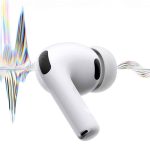
AirPods study modes are not an official set of presets created by Apple. They are practical combinations of listening features that can be matched to libraries, dorm rooms, cafés, classrooms and study sessions at home.
Active Noise Cancellation provides the most isolated option, while Adaptive Audio changes the level of noise control as the environment shifts. Conversation Awareness temporarily lowers media volume when the wearer begins speaking, making short exchanges possible without removing an AirPod or manually pausing every time.
The available features depend on the model. Active Noise Cancellation is offered on AirPods 4 with Active Noise Cancellation, AirPods Pro models and AirPods Max. Adaptive Audio and Conversation Awareness require newer supported models, including AirPods 4 with Active Noise Cancellation, AirPods Pro 2, AirPods Pro 3 and AirPods Max 2 with compatible software.
Used deliberately, these controls can create different levels of separation instead of forcing students to choose between hearing everything and hearing nothing.

AirPods Study Modes for Each Environment
Active Noise Cancellation is the most suitable mode for deep work in a predictable environment. It reduces continuous sounds such as air conditioning, fans, traffic and the low background rumble of a busy building.
It can also soften nearby conversation, although voices and sudden noises may remain audible. The feature is more effective at reducing persistent environmental sound than creating absolute silence.
Students do not need to play music for Noise Cancellation to work. AirPods can remain connected with no media playing, providing a quieter background for reading, writing or solving problems. This approach avoids replacing outside noise with lyrics or an equally distracting podcast.
Instrumental music, ambient sound or a familiar playlist may work better during repetitive assignments, but the listening choice should match the task. Dense reading and memorization often benefit from less audio rather than more.
To activate Noise Cancellation from an iPhone or iPad:
Control Center > Press and hold the volume control > Listening Mode > Noise Cancellation
The acoustic seal also affects performance. AirPods Pro users should select an ear-tip size that fits securely, while every supported model should be kept clean so microphones and vents can operate correctly.
Adaptive Audio is better suited to changing spaces. A student moving between a quiet library floor, a hallway and a campus café may not want full isolation at every moment. Adaptive mode blends Noise Cancellation and Transparency according to surrounding conditions.
It can reduce intrusive sound while preserving some environmental awareness. That makes it useful when studying in a public location where announcements, nearby movement or safety cues should not disappear completely.
Transparency mode provides the least isolated setup. It allows outside sound through and is appropriate for group work, waiting areas or any situation where hearing the room is more valuable than blocking it.
The three modes create a simple progression. Noise Cancellation supports uninterrupted individual work, Adaptive Audio suits active shared spaces, and Transparency keeps the wearer accessible.

Conversation Awareness Handles Brief Interruptions
Conversation Awareness addresses one of the most common problems with studying in AirPods: responding to someone without fumbling for playback controls.
The feature activates when the wearer starts speaking. AirPods automatically lower the media volume, enhance the voice of the person in front and reduce surrounding background noise. When the exchange ends, the previous media level and listening mode return automatically.
That behavior is useful during short interactions with a librarian, classmate, roommate or café employee. The student can answer naturally without removing an earbud or losing the listening setup used for the study session.
Conversation Awareness does not continuously amplify every nearby discussion. It begins when the person wearing the AirPods speaks, helping prevent unrelated conversations from repeatedly interrupting the audio.
This distinction makes the feature more controlled than leaving Transparency mode enabled throughout a focus session. Noise Cancellation can remain active until an actual response is required.
To enable Conversation Awareness on iPhone or iPad:
Control Center > Press and hold the volume control > Conversation Awareness
Students who quietly read notes aloud, practice pronunciation or dictate written work may prefer to switch the feature off. Because their own speech initiates the volume reduction, frequent verbal study techniques can cause repeated changes in playback.
The same concern applies to singing along with music or speaking during a recorded practice session. Conversation Awareness is most useful when speech signals a real interruption rather than forming part of the task itself.
Build a Repeatable Focus Setup
A productive AirPods configuration should require as few decisions as possible once studying begins.
For a silent library desk, Noise Cancellation with Conversation Awareness enabled creates a strong default. The student receives maximum available noise reduction but can respond briefly when necessary.
Adaptive Audio with Conversation Awareness works better in a campus common area. It maintains some connection to the surroundings and automatically accommodates a short exchange when the wearer speaks.
For group study, Transparency mode is usually the more natural option. Conversation Awareness becomes less necessary because outside voices are already audible and frequent discussion is expected.
Personalized Volume can make these transitions smoother by adjusting media volume based on environmental conditions and the user’s previous listening habits. Students who prefer fixed, predictable volume during concentrated work may instead leave it disabled and make adjustments manually.
AirPods controls can also be configured so pressing and holding the stem switches between selected listening modes. Limiting the control to Noise Cancellation and Adaptive Audio avoids cycling through options that are rarely used during study sessions.
On a Mac, listening controls remain available without reaching for the iPhone:
Control Center > Sound > AirPods
This panel provides access to the current listening mode and supported adaptive features while lectures, notes or research documents remain open. In a shared study room, assigning the stem control to Noise Cancellation and Adaptive Audio offers the fastest transition between private concentration and awareness of the people nearby.