

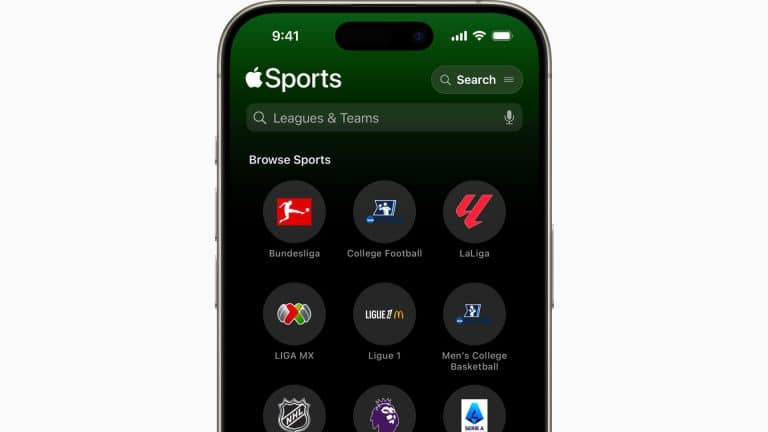
Apple Sports has become one of Apple’s clearest examples of doing less on purpose. In a market crowded with traditional sports apps filled with headlines, fantasy tools, betting prompts, video clips, social feeds, alerts, ads, commentary, subscriptions, and overloaded menus, Apple’s free iPhone app is built around a much simpler idea: open it, see the score, check the stats, follow the game, and leave.
That restraint is the feature. Apple describes Apple Sports as a fast and simple app for real-time scores, stats, and more, with favorite teams and leagues placed front and center through an interface designed by Apple. The App Store listing uses the same language, calling it a real-time scores and stats app that is “fast and simple,” with Live Activities on the Lock Screen, game pages, widgets, personalized home views, and support for following teams, leagues, divisions, brackets, and tournaments.
That makes Apple Sports different from older sports platforms that try to become everything at once. Many sports apps began as score trackers but gradually turned into media hubs, gambling-adjacent products, video platforms, fantasy dashboards, subscription funnels, and notification machines. Those features can be useful for some fans, but they can also make the basic act of checking a score feel heavier than it needs to be.
Apple Sports is closer to a utility. It is not trying to replace every sports website, every league app, or every deep analytics product. It is trying to become the fastest place on iPhone to see what is happening with the teams and competitions a user actually follows.

Apple Sports Focuses on Speed
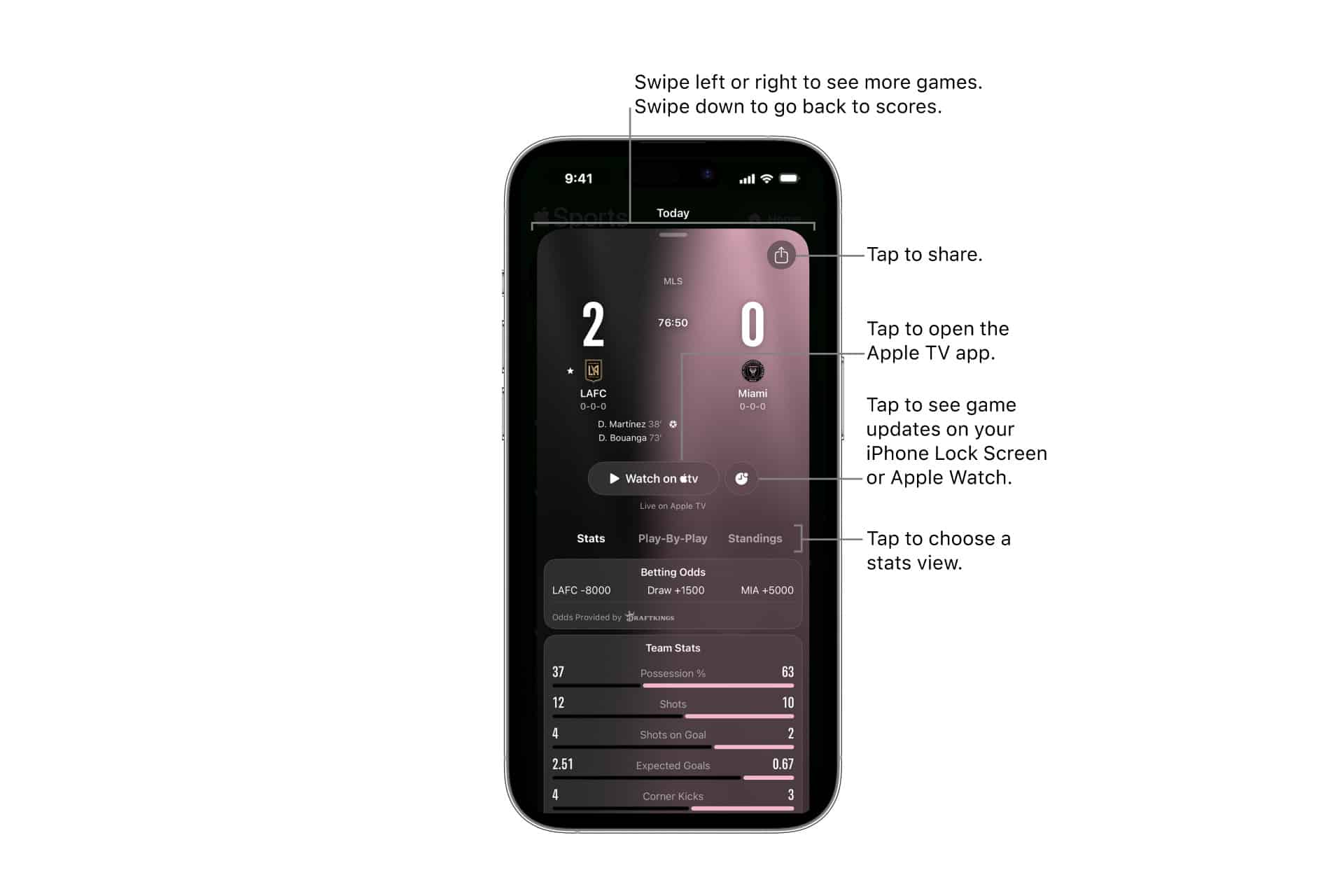
Apple Sports works because most sports fans need different levels of information at different moments. During a workday, a user may only want to know the score. During a commute, they may want to glance at a Live Activity. During a match, they may want play-by-play, lineups, team stats, or box scores. After the game, they may want to check the schedule or standings without digging through a media-heavy homepage.
Apple’s app is designed around that lightness. The home view can be personalized around favorite teams and leagues, making the first screen more relevant. Game pages provide scores, stats, and play information without forcing the user into an article feed. Widgets give quick access from the Home Screen. Live Activities keep scores and play updates on the iPhone Lock Screen and Apple Watch, depending on software support.
The result feels more like a system feature than a traditional media app. Apple Sports is not fighting for long reading sessions. It is trying to fit into the small gaps of the day: before class, during lunch, while watching a match, before leaving work, or while checking a favorite team at night.
That is why the app can feel more Apple-like than many sports services. It prioritizes clarity, speed, and integration over clutter.
World Cup 2026 Gives Apple Sports a Bigger Stage
Apple Sports is also becoming more useful because Apple has expanded it globally. Apple announced that the app is now available in more than 170 countries and regions, including more than 90 newly added markets across the Asia-Pacific, Middle East, Africa, and other regions. The timing is not accidental. The expansion comes ahead of World Cup 2026, one of the largest sports events in the world.
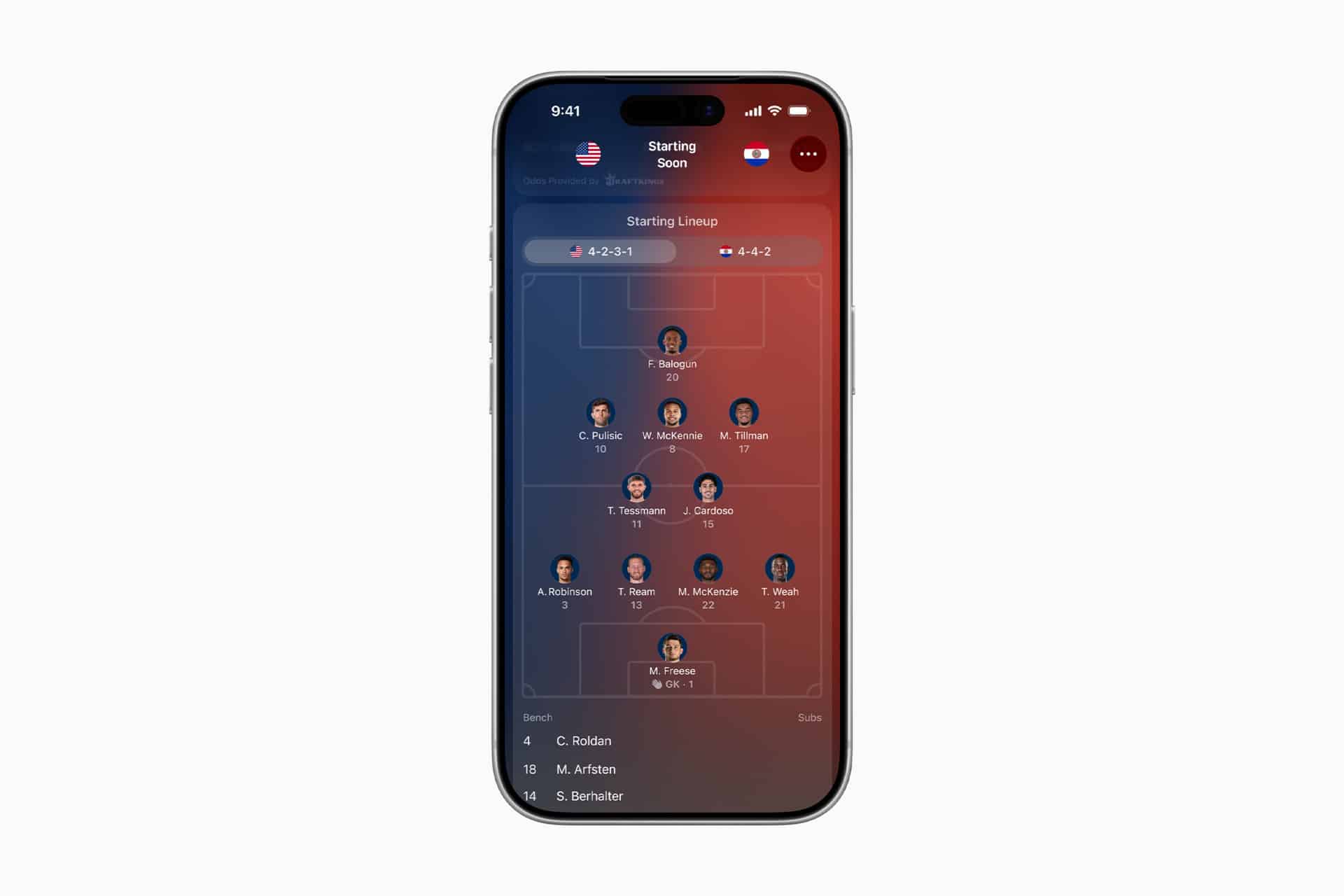
The World Cup update gives Apple Sports a stronger tournament role. Apple said users can follow the entire tournament or individual national teams, track brackets, view group-stage progress, see starting lineups, and use visual formations in enhanced game cards. Those features make the app more useful for soccer fans who want structure, not only individual match scores.
This is where Apple’s lightweight approach becomes more important. A global tournament can become difficult to follow through crowded sports apps because there are groups, knockout rounds, national teams, time zones, lineups, substitutions, and multiple matches across a short period. Apple Sports can make that easier by organizing the tournament around the teams and stages the user wants.
The app also connects with Apple’s wider ecosystem where available. Apple says users can jump to live games in the Apple TV app and connected streaming apps, and Apple News can provide coverage in supported countries. That gives Apple Sports a role as the clean front door to scores and match context without turning the app itself into a full editorial product.
A Cleaner Alternative to Traditional Sports Apps
Apple Sports is valuable because traditional sports apps often carry too much baggage. A fan opening a large sports platform may be met by news alerts, autoplay video, subscription prompts, fantasy modules, opinion headlines, live blogs, odds, promotional placements, social reactions, and league-specific clutter before reaching the score they wanted.
That experience is not always wrong. Some fans want everything. A fantasy player may want injury updates and advanced stats. A bettor may want odds. A league superfan may want every headline. A casual viewer may want video highlights. Traditional sports apps serve those audiences by becoming broad platforms.
Apple Sports is for a different moment. It is for the user who wants less friction. It is for the fan who wants to know whether the match started, who scored, what the lineup looks like, when the next game begins, or how a team is moving through a tournament. It does not need to own the full sports-media experience to be useful.
That restraint may also make the app more appealing to users who avoid sports apps because they feel noisy. Apple Sports gives those users a way to follow teams without signing up for a heavy content ecosystem.
Live Activities Make Scores Feel Native to iPhone
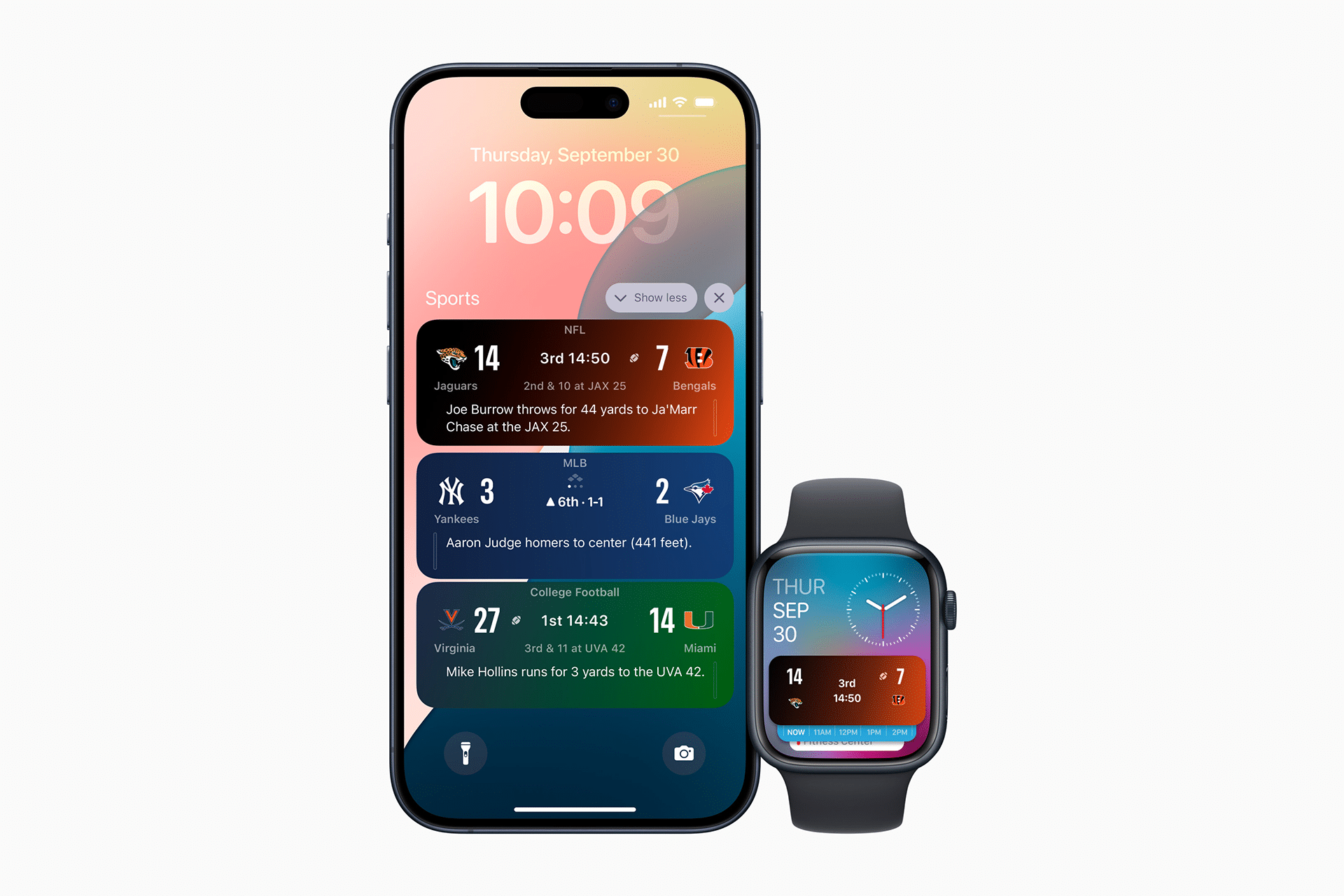
Apple Sports becomes more useful because it is built around iOS features rather than only its own app screen. Live Activities allow real-time scores and play updates to appear on the Lock Screen and on Apple Watch, making the score visible without opening the app repeatedly. Widgets can place upcoming games and scores directly on the Home Screen.
That integration is one of Apple’s strongest advantages. A third-party app can also support Live Activities, widgets, and notifications, but Apple can design Apple Sports as a first-party example of how sports information should live across iPhone and Apple Watch. The app feels less like a destination and more like a layer of the device.
This is especially useful for users following multiple sports. A favorite team can stay visible during a game. A tournament bracket can be checked quickly. A widget can show upcoming schedules. Apple Watch can provide glanceable updates when the phone is not in hand.
The idea is simple: sports information should appear where the user already looks.
The App Still Has Limits
Apple Sports is not designed to be everything. It remains an iPhone app, even though widgets and Live Activities extend some information across Apple Watch, iPad, Mac, and CarPlay-style contexts where supported. Users who want a full native iPad or Mac sports app still do not have one from Apple.
Coverage also depends on supported leagues, sports, countries, and connected services. Apple TV links depend on streaming availability, and Apple News integration depends on regional access. The app may be excellent for quick scores but limited for deep analysis, fantasy tools, editorial coverage, historical stats, betting data, social discussion, or advanced team research.
That is acceptable because the app’s value comes from focus. Apple Sports should not become a copy of every traditional sports app. If it grows too cluttered, it loses the reason it exists.
The challenge for Apple is to add useful depth without breaking the lightweight experience. World Cup brackets and visual formations are good examples because they add real value while staying close to the game. Apple should keep that discipline: more clarity, not more noise.
Apple Sports Fits Apple’s Services Strategy
Apple Sports also gives Apple a larger sports surface across its ecosystem. The company has been expanding in sports through Apple TV, MLS, Friday Night Baseball, Formula 1 in the U.S., sports coverage in Apple News, and live scores inside the Apple ecosystem. Apple Sports gives those efforts a simple iPhone entry point.
That does not mean Apple needs to own every broadcast right. Apple Sports can remain useful even when Apple TV does not stream the game. It can show scores, stats, lineups, brackets, and schedules, then connect to the Apple TV app or other streaming apps where supported. That makes the app valuable as a sports utility independent of Apple’s rights portfolio.
The long-term opportunity is habit. Sports create daily and weekly check-ins. A user may open Apple Sports for scores, then tap into Apple TV for a live match, Apple News for a story, or a widget for the next game. That kind of lightweight engagement supports Apple’s Services strategy without needing the app to become a media giant.
Apple Sports is therefore small by design but strategically useful. It gives Apple a clean, daily sports touchpoint on iPhone.
A Better App for Quick Sports Moments
Apple Sports is not trying to replace deep sports coverage, and that is why it works. It gives users a faster way to follow teams, leagues, tournaments, scores, lineups, and stats without entering a crowded sports-media environment every time.
For casual fans, it is simpler than traditional sports apps. For serious fans, it can still serve as the fast scoreboard layer before deeper analysis happens elsewhere. For Apple, it is a clean sports gateway tied to iPhone, Apple Watch, widgets, Live Activities, Apple TV, and Apple News.
That makes Apple Sports a lightweight alternative in the best sense. It does not compete by adding everything. It competes by removing what gets in the way.